
Menu boards that keep up with your kitchen.
Breakfast, lunch and dinner menus that switch on their own. 86 an item in seconds. Push a special when the kitchen has too much of something.
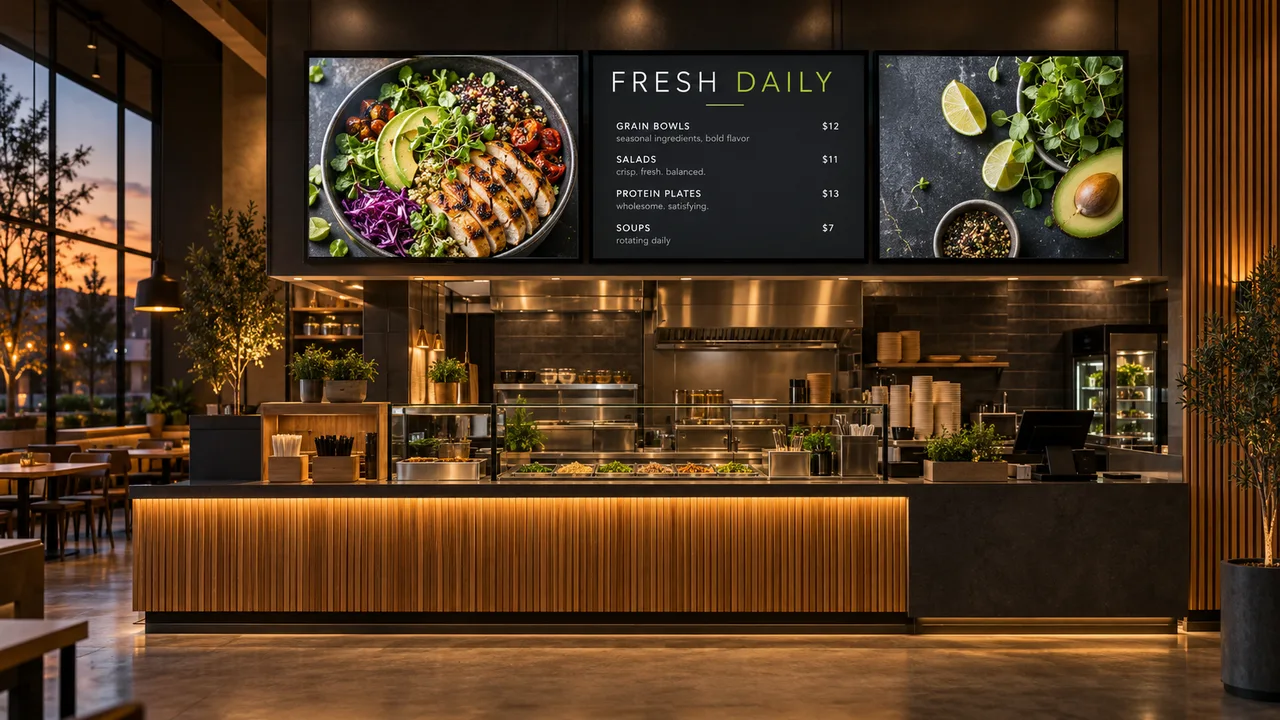
Where it earns its spot on the wall.
Menus by time of day
Set breakfast, lunch and dinner once. The board changes by itself, every day, at every location.
Specials and combos
Give today’s special its own spotlight. Take it down the second you sell out.
Synced with your POS
Using Toast? Prices, items and sold-outs flow straight to the boards. Other POS systems can connect too. Change it at the register, not twice.
Drive-thru and pickup
Bright, readable boards for outdoor and window screens, plus order-ready and wait-time messages.
Set it once. It changes all day.
Here’s how a typical restaurants & cafés screen could run, switching on its own with schedules.
- 6:30Breakfast menuCoffee, eggs, pastries up front
- 11:00Lunch switches onCombos and bowls, prices from Toast
- 14:30Afternoon slow-downSnack deal and loyalty QR code
- 17:00Dinner & happy hourDrinks board takes over the left screen
Today’s lunch
What we usually suggest.
Every space is different, so treat this as a starting point. Send us photos and we’ll tailor it.
- Where
- Above the counter, at the drive-thru or pickup window, and one near the entrance for specials.
- Screens
- Usually 2–3 side by side, 43″–55″, mounted at a height customers can read from the line.
- Orientation
- Landscape for menu boards; portrait works well for a single promo screen.
- Brightness
- Commercial displays (high brightness for windows and drive-thrus).
- Player
- Samsung or LG signage displays need no extra box; otherwise an Android player per screen.
Apps that fit
Want help with it?
We design it for you
Branded screens, scheduled and kept up to date by our team.
Managed contentWe install the screens
Screens, players and mounting in Chicago and surrounding areas.
Screen installationWe print the rest
- Printed table and takeout menus
- Flyers and postcards for openings
- Branded cups, bags and labels
- Staff t-shirts and aprons
A fall menu launch
The new drinks go on the menu board, a matching table tent goes on every table, and a postcard goes in every takeout bag. Same photos, same prices, one look.
Asked and answered.
Something else? Ask us, or call or text 872-222-6444.
Can the menu update from my POS?
Yes. Toast POS syncs items, prices, descriptions and availability to your boards. Clover, Square and others can connect through a spreadsheet, data feed or the API. Tell us which POS you use.
Can different locations show different prices?
Yes. Each location can have its own menu and prices while sharing the same design.
What about sold-out items?
Mark an item unavailable and it updates on every board in about two minutes, or straight from the POS if it’s connected.
Do I need special TVs?
Not necessarily. Many smart TVs work with a small player. For screens that run all day or face a window, commercial displays last longer and are brighter. We can supply and install them in the Chicago area.